Description: This job aid is designed to assist the CSR in processing a Credit Memo for freight.
# | Step in Process/Image |
1 | Follow Section 1 of the Credit Memo – Job Aid for the Header Page steps |
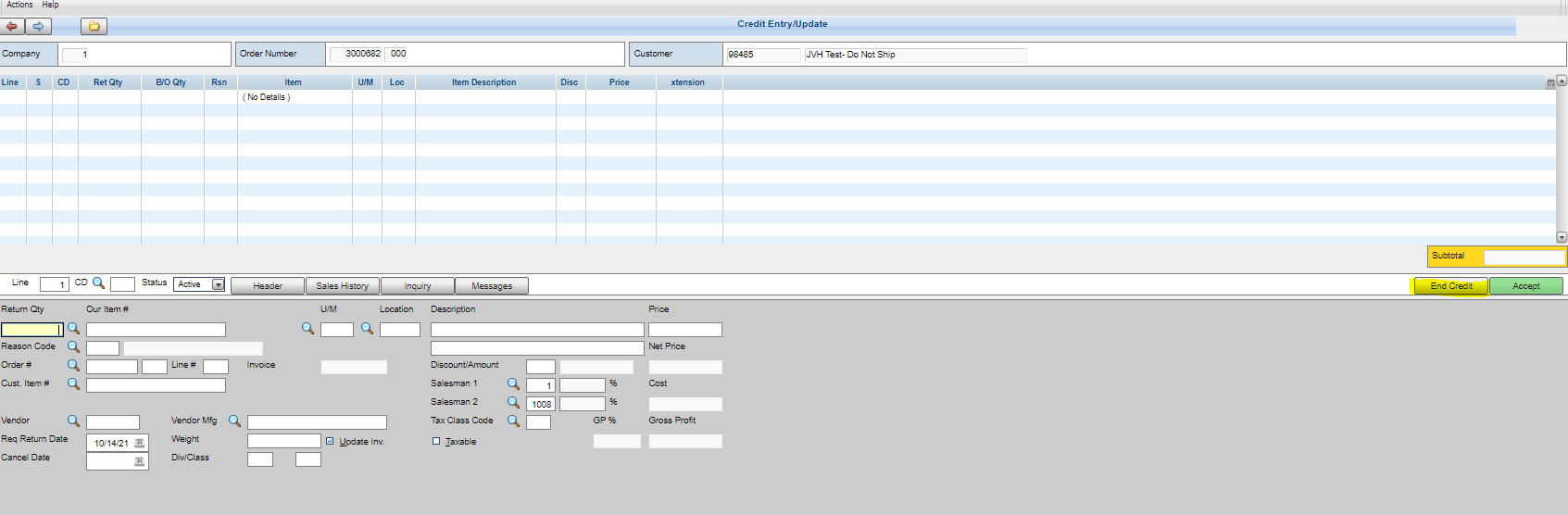
2 | Body of the order is to be left blank, no line items will be entered; Select End Credit. |
| |
3 | Freight Screen of the order will not be modified. Select Forward |
| |
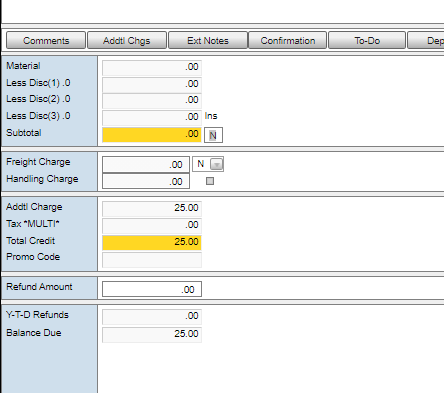
4 | Summary Page of the order |
– ex $25.00
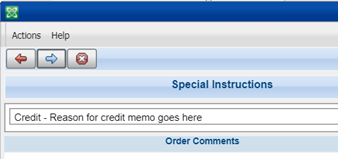
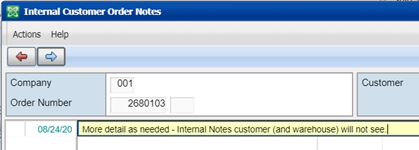
- Special Instructions (Comments) – explain what happened. Comments visible to Cx and the warehouse
- Reference previous order to find the correct card. - To find the card, go into “Order Summary” screen in detail sales and click on “Deposits” - Type card information in credit card fields or select card saved on file and run the card. (S2K will automatically exit the screen after the card is run on credit.) - If not followed, the customer’s credit card will not be refunded
|
 .
.
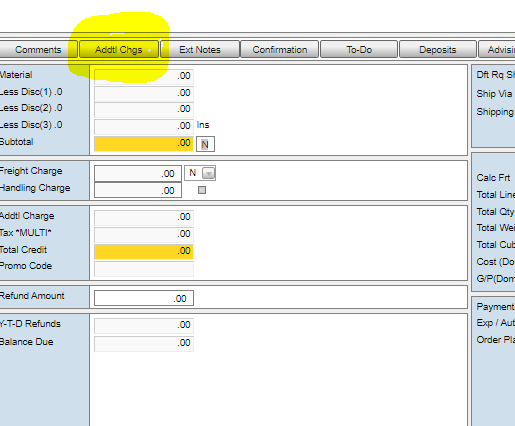
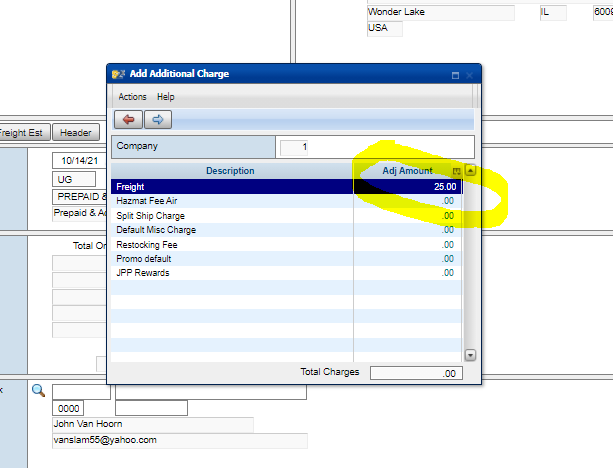
 ; the amount will now populate in the Total Charges field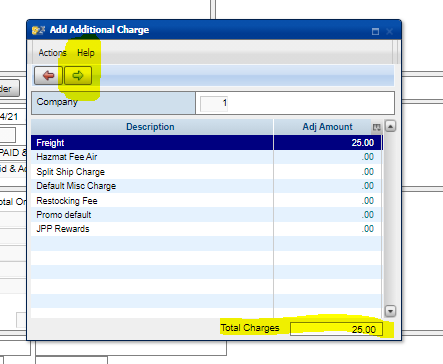
 again to close out the Addtl Chgs screen